

Requisitions, Approvals and Payments in One E-Procurement System
NexusOne links requisitions, purchase orders, goods receipts, invoices and payments into one chain, with the budget checked before anyone signs.
- RM 2.4m
- FY 2026 budget tracked
- 5
- signatures per requisition
- 5
- documents, one chain
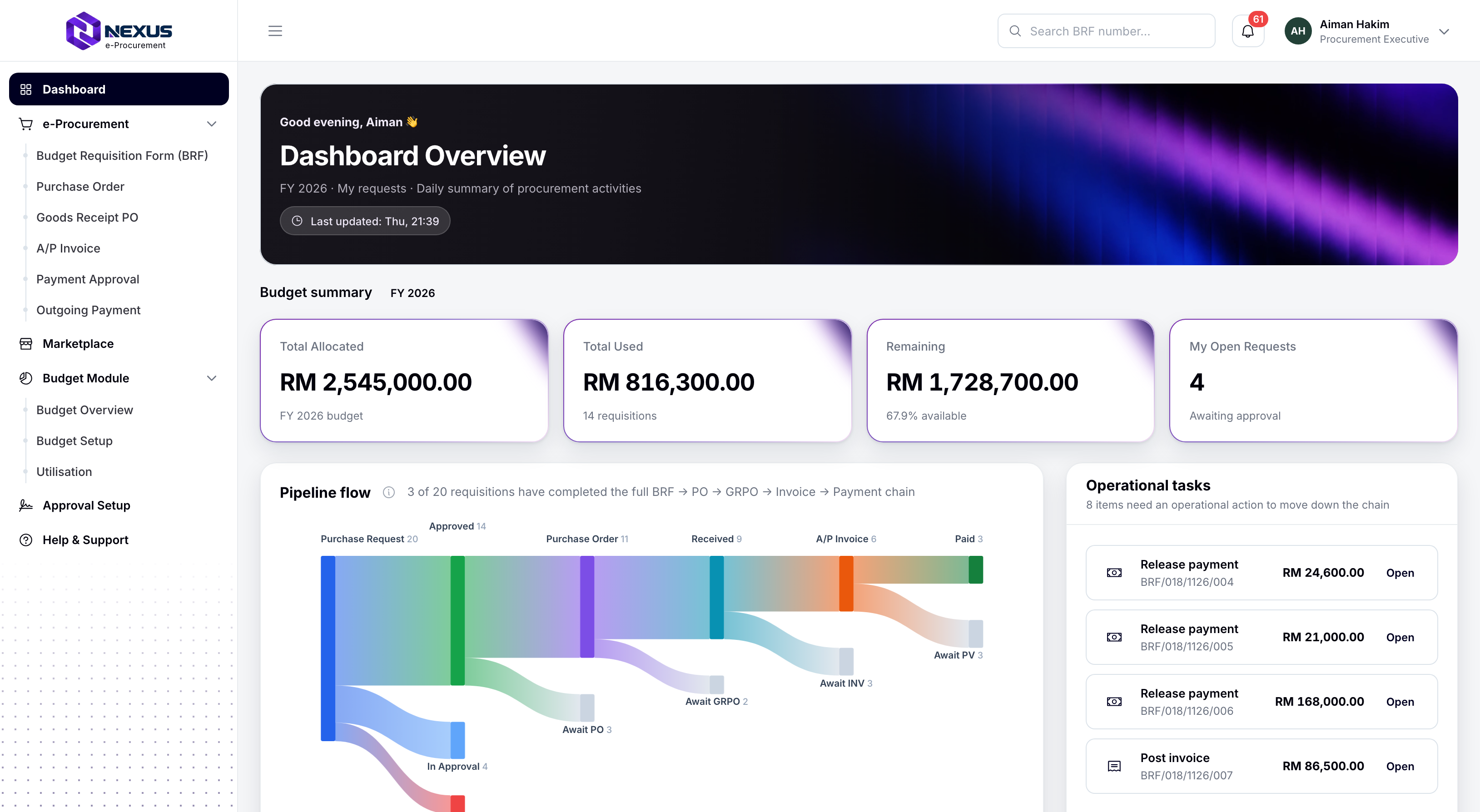
Workspace
- Dashboard
- Requisitions
- Purchase Orders
- Goods Receipt
- Invoices
- Budget
Good morning, Aslam FY2026 · Labuan base
Total allocated
RM 2,400,000
FY2026 budget
Total used
RM 812,400
14 requisitions
Remaining
RM 1,587,600
66% available
Pending approvals
3
Waiting on you
Budget utilisation Used RM 812,400 (34%)
14
Requisitions
11
Purchase Orders
8
Goods Received
6
Invoices
4
Payments
Awaiting approval View all
| BRF/018/0826/014 | Aslam Razim | Engineering | RM 128,400 | In Review |
| BRF/018/0826/013 | Suryani Taib | Base Ops — KL | RM 42,750 | Approved |
| BRF/018/0826/012 | Aida Zakaria | Engineering | RM 96,200 | In Review |
Five documents,
one unbroken thread
Nothing is retyped between stages. Each document inherits the one before it, so a payment can always be traced back to the budget code it was approved against.
-
Step 01: Budget Requisition Form
Requester details, budget allocation and supporting quotations in three steps.
-
Step 02: Purchase Order
Raised only from an approved BRF, against the code it was approved on.
-
Step 03: Goods Receipt PO
What arrived, against what was ordered — short deliveries stay visible.
-
Step 04: Invoice
Matched to the receipt before it reaches Finance for payment.
-
Step 05: Outgoing Payment
Released against the matched invoice and written back to the budget.
The signature chain, exactly as the form defines it
Every requisition walks the same route, ending at the CEO. Approvers see only what waits on them; nobody downstream can act early, and nothing moves without a recorded signature.
- Requestor Submitted
- Manager Signed
- HOD Waiting
- CFO Pending
- CEO Pending
The balance is checked before the signature, not after
Every line carries its budget code with the balance brought forward, the payment, and the balance carried forward. Over-commitment is visible while the form is still being written — and unbudgeted spend is flagged for the chain to decide on, never hidden.
- Balance brought forward and carried forward on every line.
- Unbudgeted requests flagged, not blocked — the chain decides.
- Quotations attached before the CFO sees the figure.
Department codes · FY 2026
-
Engineering 51030002
77% used · 23% available
-
Information Technology 51030014
42% used · 58% available
-
Supply Chain 51030027
96% used · 4% available
-
Finance 51030031
18% used · 82% available
One system, five points of view
What you can raise, see and sign follows your role — not a settings page someone forgot to update.
-
Requestor
Raises requisitions and follows their own through the chain.
-
Manager
First signature — reviews what the base actually needs.
-
HOD
Confirms the requirement and the business justification.
-
CFO
Budget and compliance review before any commitment.
-
CEO
Final approval; procurement begins only after this.
Approve on the go, wherever the work takes you
NexusPlus puts your approval queue in your pocket. Sign in with the same account you use for NexusOne and keep requisitions moving — from the hangar, the base or the road.
- Get notified the moment a requisition, order or payment needs your signature.
- Review the full document and approve with your signing PIN — the same signature the printed form carries.
- Follow every document from BRF to payment, with the budget balance beside it.

Start the chain where it belongs — at the budget
Raise a requisition against a live budget code and watch it walk the five signatures in one place.